
The Reviewer Dashboard
Overview of submitted assessments pending review
3 min read•Article 1 of 6 in Reviewing & Scoring
The Reviewer Dashboard
The Reviewer Dashboard gives you an overview of all assessments that need your attention.
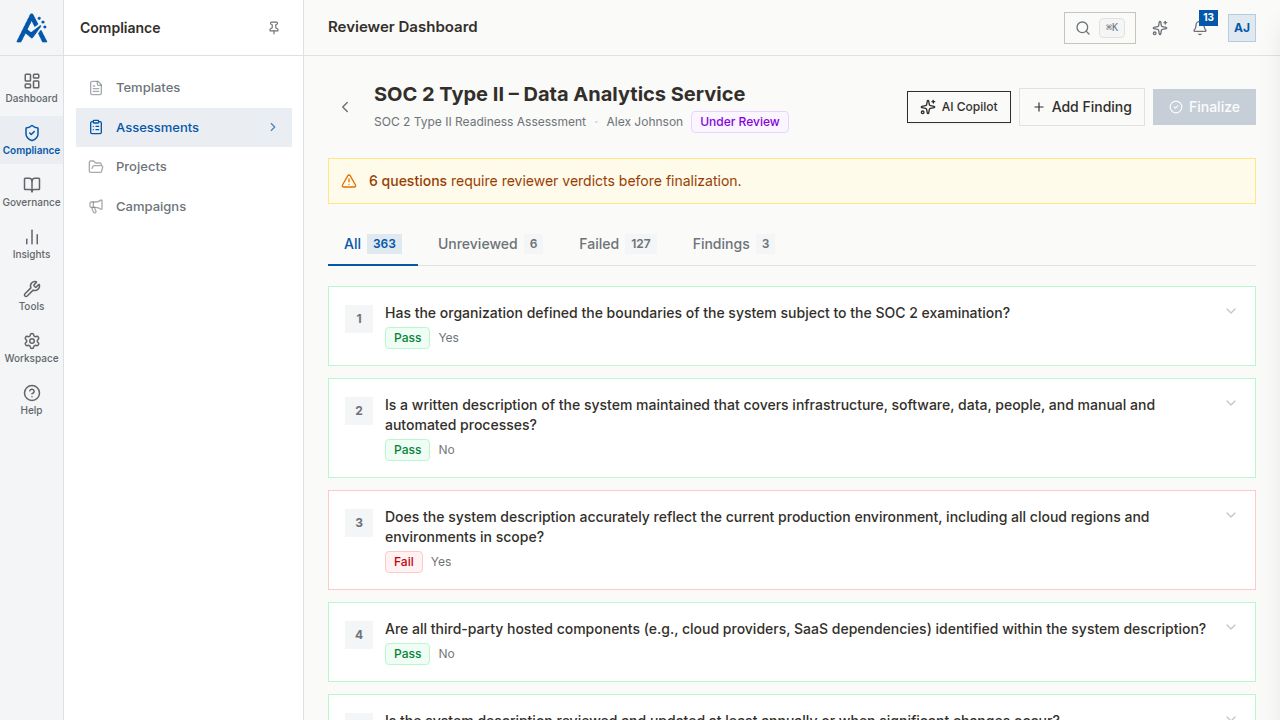
Accessing the Dashboard
Navigate to Assessments and filter by status Submitted or Under Review to see assessments awaiting review.
Dashboard Overview
The dashboard shows:
- •Pending Reviews — Assessments submitted and waiting for review to begin
- •In Progress Reviews — Assessments you've started reviewing but haven't finalized
- •Recently Finalized — Assessments you've completed reviewing
Assessment Cards
Each assessment card displays:
- •Assessment name and template used
- •Submission date
- •Number of respondents
- •Domains and question count
- •Current review progress (for in-progress reviews)
Starting a Review
1.Click on an assessment card
2.Select Start Review to begin
3.The assessment status changes to Under Review
4.You can pause and resume the review at any time
Review Priorities
Consider reviewing assessments in this order:
1.Assessments approaching their review deadline
2.Assessments from high-priority projects or campaigns
3.Assessments with critical gate questions (review these carefully)
4.Older submissions first (FIFO approach)