
AI Copilot
What the Copilot can do, example prompts, tips for getting the best answers
4 min read•Article 2 of 3 in Tools
AI Copilot
The AI Copilot is your intelligent assistant within AUDIGYD, helping you work more efficiently with your compliance data.
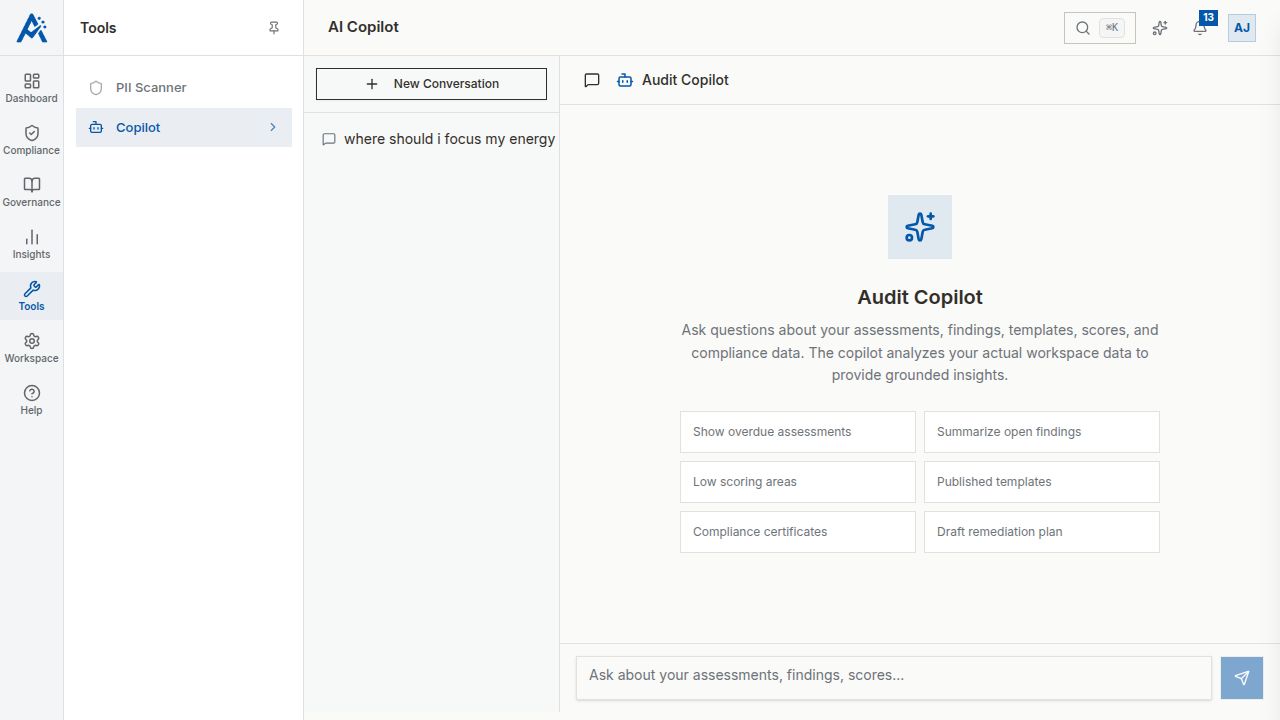
What Can the Copilot Do?
The AI Copilot can help you with:
- •Answer questions about your compliance data and assessment results
- •Summarize assessment findings and trends
- •Suggest improvements based on assessment results
- •Explain scoring and compliance concepts
- •Generate reports and summaries
- •Navigate the platform and find features
How to Use the Copilot
1.Navigate to AI Copilot in the sidebar
2.Type your question or request in the chat input
3.The Copilot responds with relevant information and suggestions
Example Prompts
Try asking the Copilot:
- •"What's our overall compliance score this quarter?"
- •"Summarize the findings from our latest SOC 2 assessment"
- •"Which domains need the most improvement?"
- •"How does our current score compare to last quarter?"
- •"What are the most common findings across all assessments?"
- •"Help me understand what critical gates are"
- •"What steps do I need to take to create a new assessment?"
Tips for Best Results
1.Be specific — "What's the access control score in our Q1 assessment?" is better than "How are we doing?"
2.Provide context — Mention specific assessments, frameworks, or time periods
3.Ask follow-up questions — The Copilot remembers the conversation context
4.Use for navigation — Ask "How do I create a template?" to get step-by-step guidance
Limitations
- •The Copilot works with data available in your workspace
- •It cannot modify assessments or settings — it's read-only and advisory
- •Complex custom analysis may require exporting data to external tools
- •Responses are AI-generated and should be verified for critical decisions